JORD Look professional online. Keep it current yourself.
Show what you do and who does it, keep every detail current, and turn visitors into enquiries. Every theme is included, so your site looks the part from day one.
- themes included. Switch any time, every page follows
- 14
- admin languages, English, German and Polish among them
- 8
- lines of code: every page is built from ready-made sections
- 0
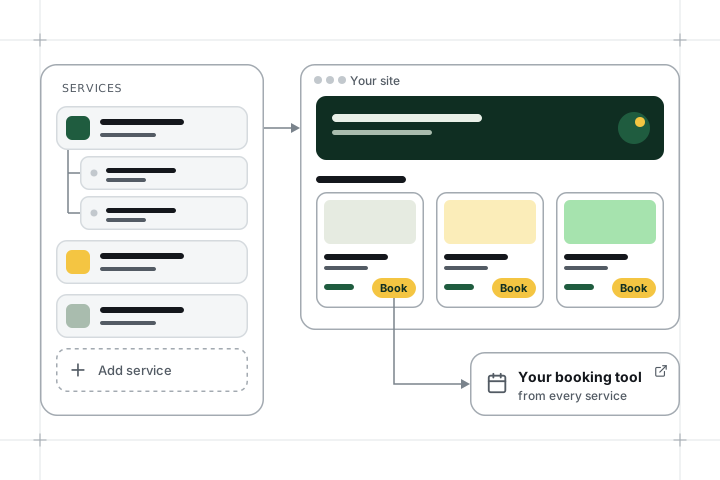
Show what you offer
Give each service its own page, with photos, prices and the details customers ask about. Group related services together, and add a button that takes visitors straight to your booking page.
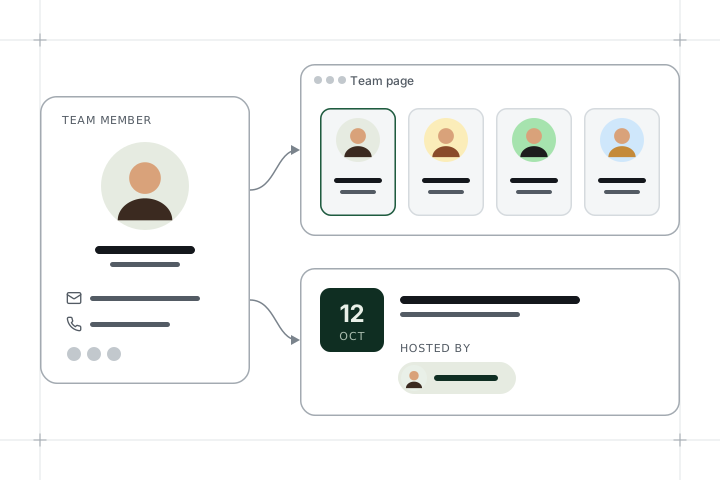
Introduce your people
People buy from people. Add each team member once, with a photo, contact details and social links, and they appear on your team page and on every event they host.
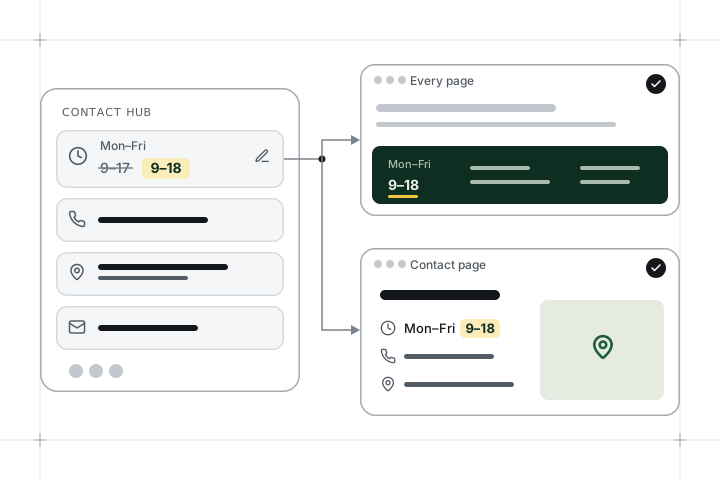
Keep every detail current
Your address, opening hours, phone numbers and social links live in one place. Change something once, and every page that shows it follows, from the footer to the contact page. No more outdated details.
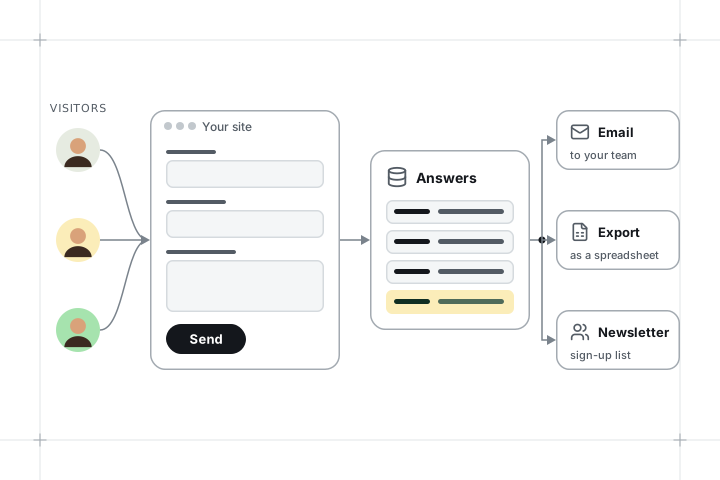
Turn visitors into enquiries
Ask the questions that matter to you. Every answer lands in one list, your team gets an email straight away, and you can export everything to a spreadsheet. Newsletter sign-ups are collected the same way.
Questions before you start
Can visitors book appointments online?
Yes, through the booking tool you already use: give each service a button that takes visitors straight to it. Built-in online booking is on the roadmap.
Is the admin in English?
Yes. The admin, our guides and sign-up are in English, Hungarian, German, Polish, Czech, Slovak, Ukrainian and Russian, so everyone on your team can work in their own language.
Can visitors comment on articles?
No. JORD has no comment section, so there is nothing to moderate.
What can the newsletter do?
Collect sign-ups on your site and send newsletters built from blocks to your subscribers, in each language your site uses. Send a test to yourself first, then publish to send. Prefer the newsletter tool you already use? Send your sign-ups there instead.
Can I use my own domain?
Yes. Your site starts on a free address such as yourname.jord.site. Connect your own domain during setup or later: we show you the DNS records to add.
Selling products too?
Pick JORD Shop: everything in JORD, plus an online store with product variants, VAT, delivery options and card payments to your own account.